www.sandberg.world
For information on handling electronic waste, see www.sandberg.world/weee
Support:
helpdesk.sandberg.world
Warranty
There is a five-year warranty on your Sandberg product.
Please read the warranty terms and register your new Sandberg product at www.sandberg.world/warranty
Years
Warranty
Speaker Radio
DAB+BT Recharge
Quick guide
NOTE: If not used regularly, please recharge the radio at least every 3 months to maintain optimal performance.
Battery capacity: 2000 mAh
USB-C input: 5V/2A
Product weight: 332g
Speaker Radio
DAB+BT Recharge
Made in China
Item no. 421-39
Sandberg A/S
Bregneroedvej 133D,
3460 Birkeroed, Denmark
www.sandberg.world
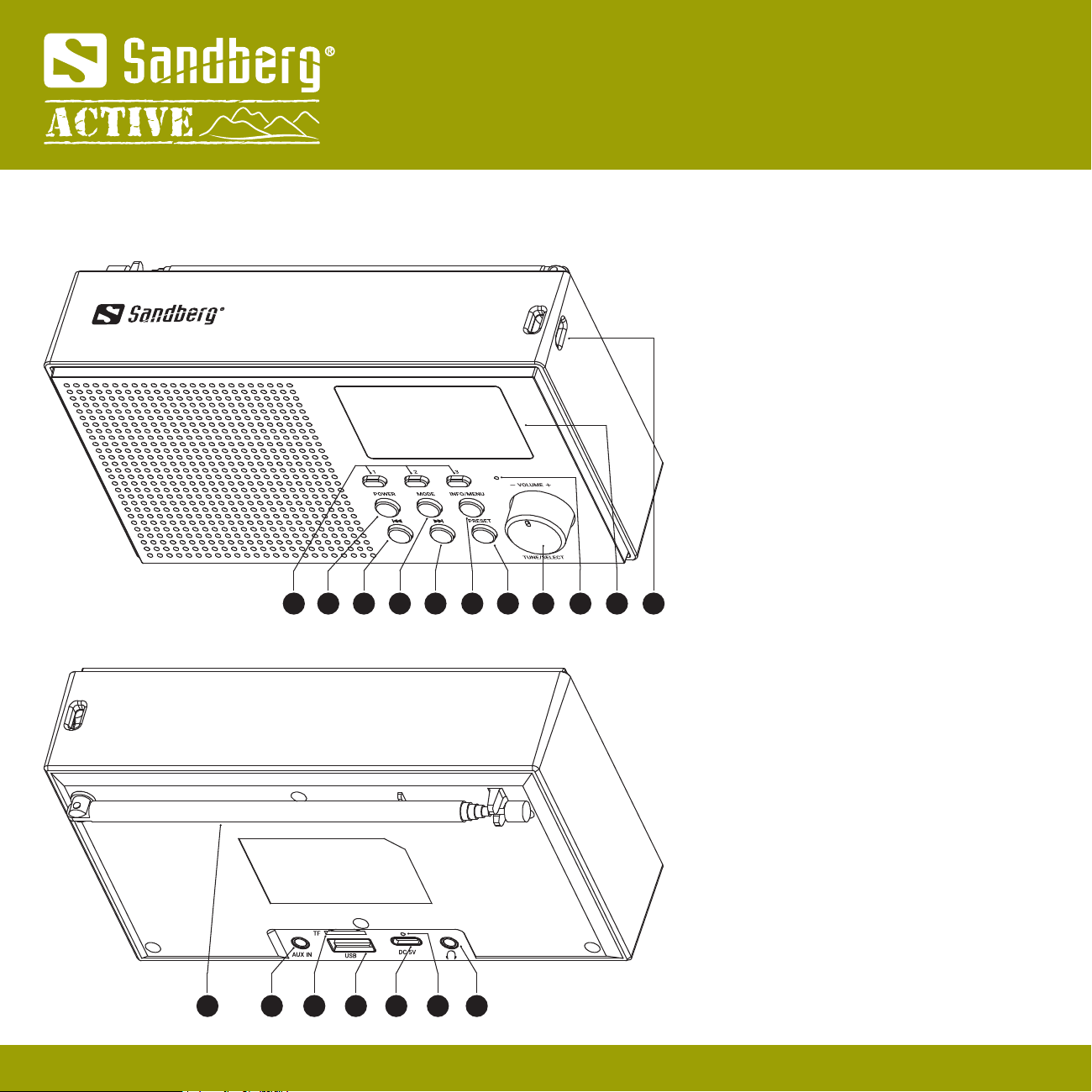
1 2 3 4 5 6 7 8 9 10 11
Quick guide
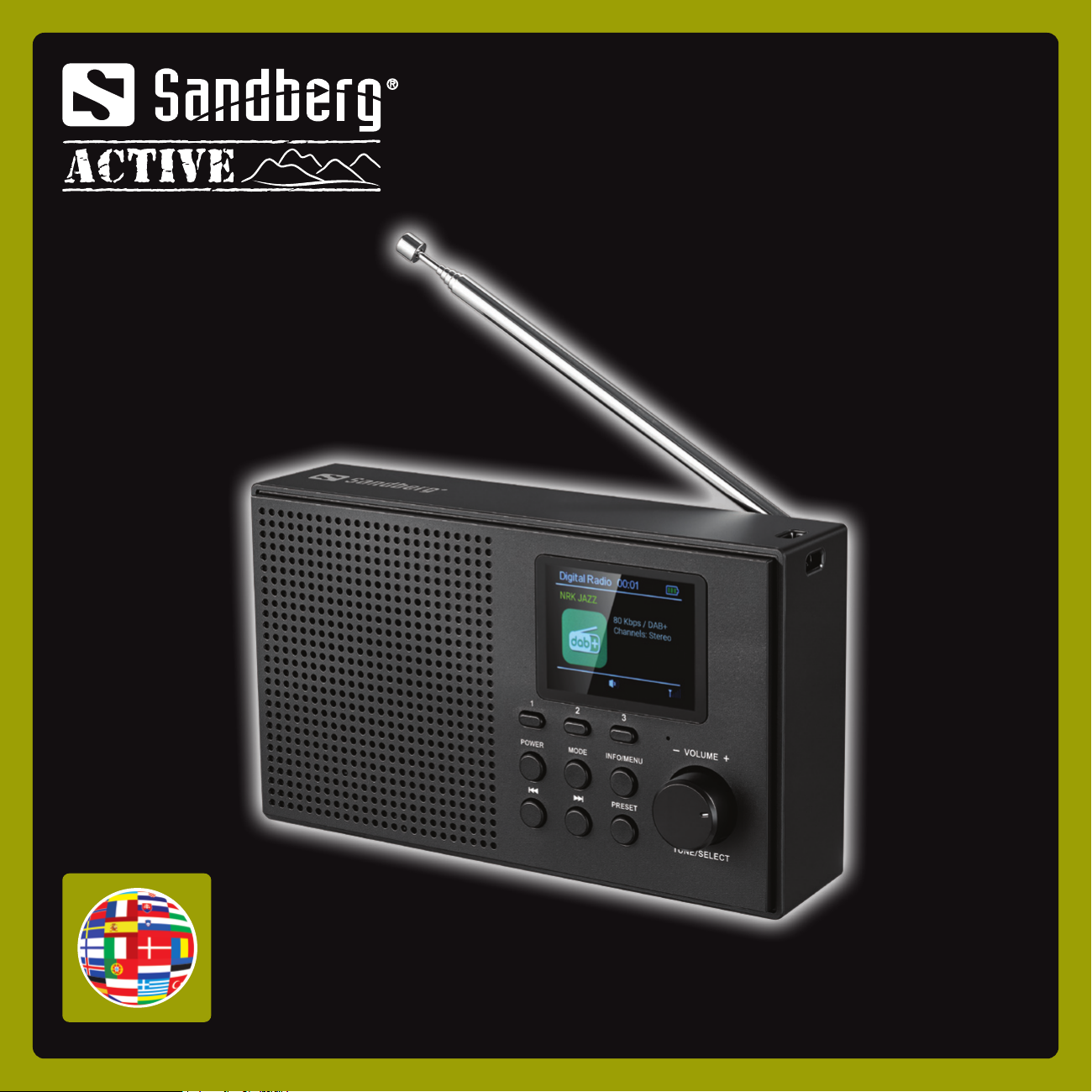
Overview
1. SET key (1-3)
2. POWER button
3. Previous button
4. MODE button
5. Next button
6. INFO/MENU button
7. PRESET button
8. TUNE/SELECT/CALL/VOL knob
9. Microphone
10. TFT display screen
11. Lanyard attachment point
12. Rod antenna
13. AUX IN interface
14. TF card socket
15. USB-A interface
16. USB-C charging interface
17. Charging indicator light
18. Earphone jack
2
12 13 14 15 16 17 18
Button functions
POWER
ON/OFF
3 sec
POWER
1x
Enter/Exit Standby
mode
INFO/MENU
INFO/MENU
1x Radio station
information
INFO/MENU
MODE
1x
dab FM
dab FM
or
Menu settings
3 sec
Quick guide
3
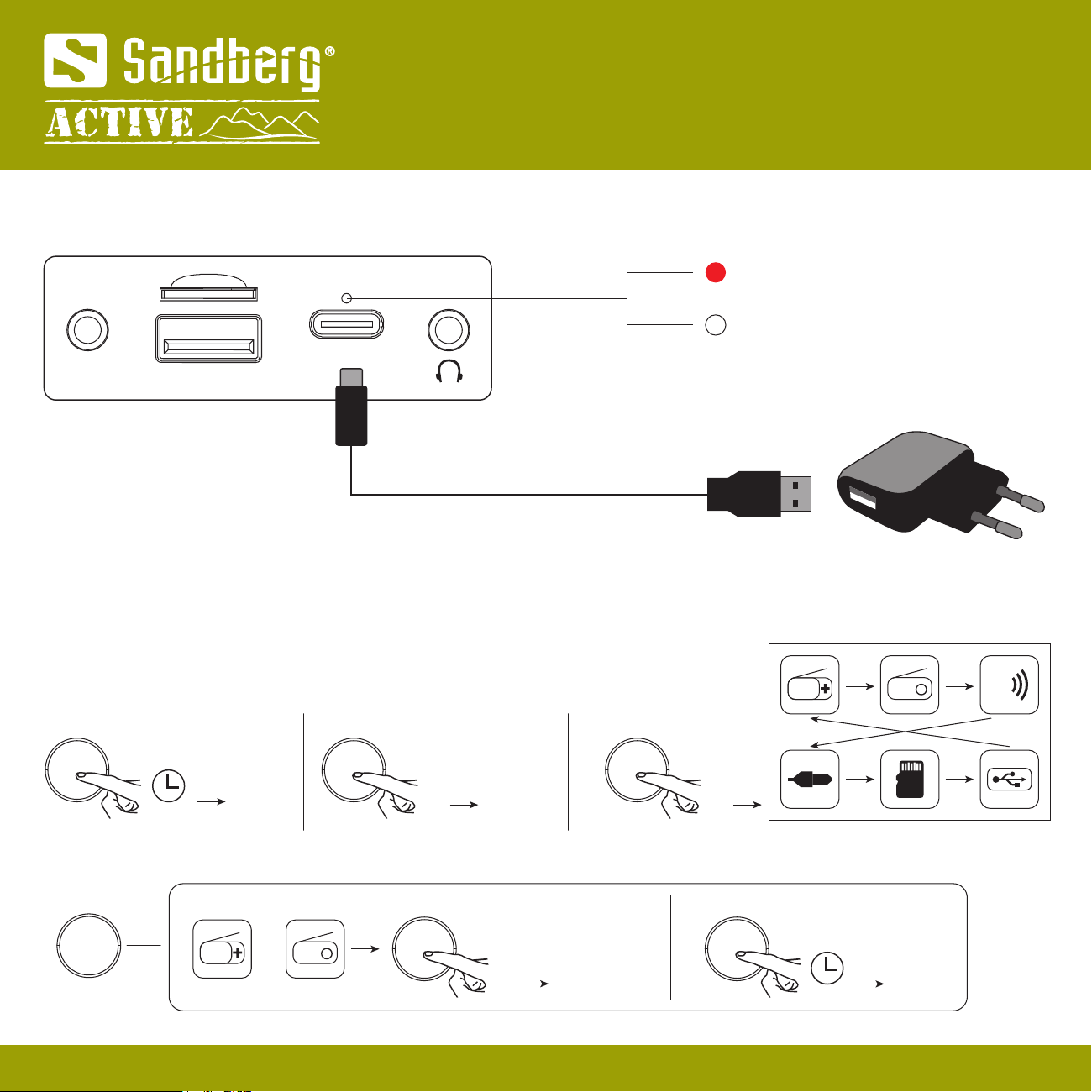
Charging the internal battery
DC 5V
USB
AUX IN
TF
USB-A
NOTE: Please only use the included USB-C to USB-A cable.
charging
100%
USB-C
BT
Quick guide
4
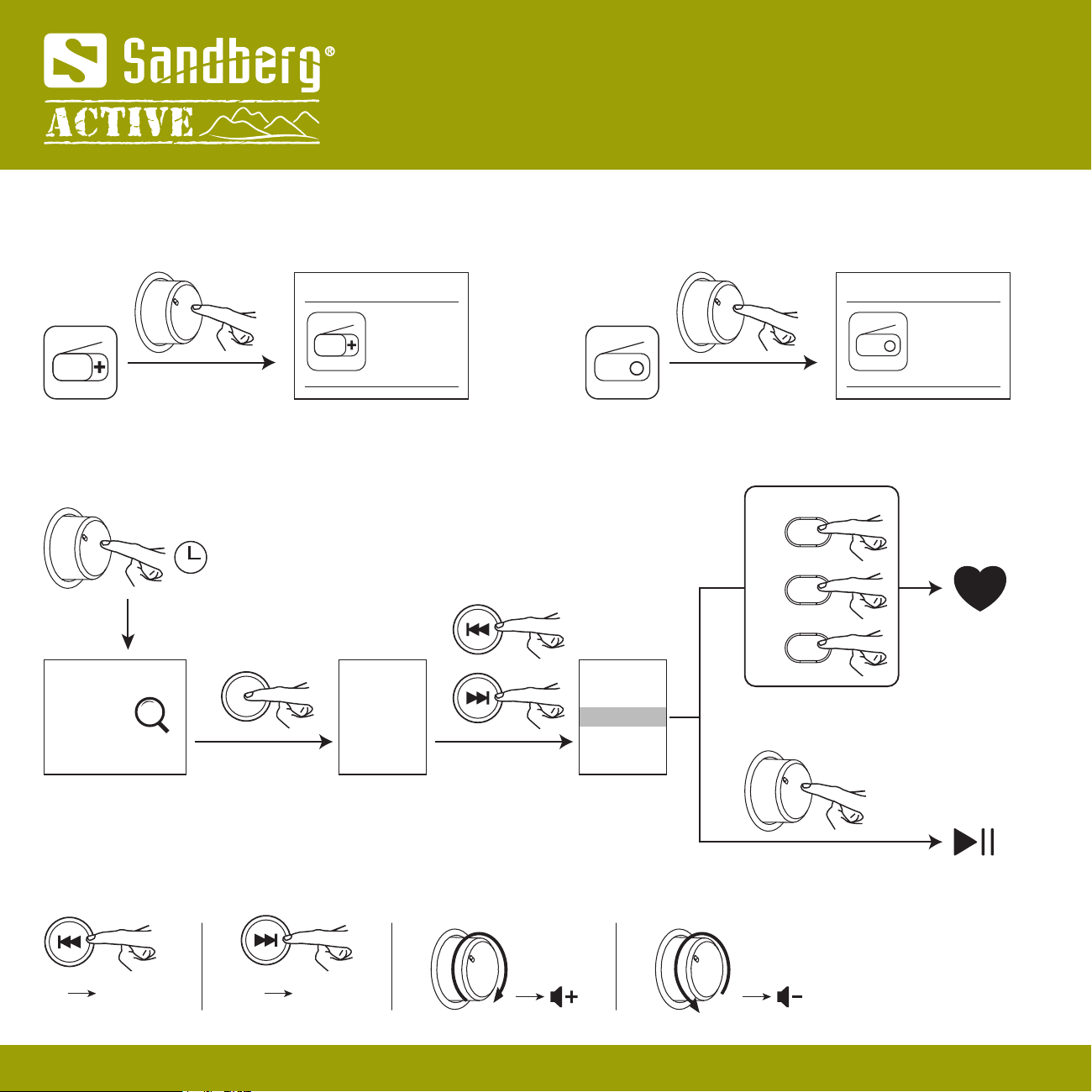
DAB Mode
Digital Radio
dab
dab
1x Previous
station 1x Next
station
3 sec
Station 1
Station 2
Station 3
Station 4
Station ...
or
or
or
Station 1
Station 2
Station 3
Station 4
Station ...
1
2
3
3 sec
3 sec
3 sec
Quick guide
PRESET
FM Mode
3 sec
Station 1
Station 2
Station 3
Station 4
Station ...
Station 1
Station 2
Station 3
Station 4
Station ...
or
or
or
Station 1
Station 2
Station 3
Station 4
Station ...
1
2
3
FM
FM
FM
1x Previous
station 1x Next
station
5
3 sec
3 sec
3 sec
Quick guide
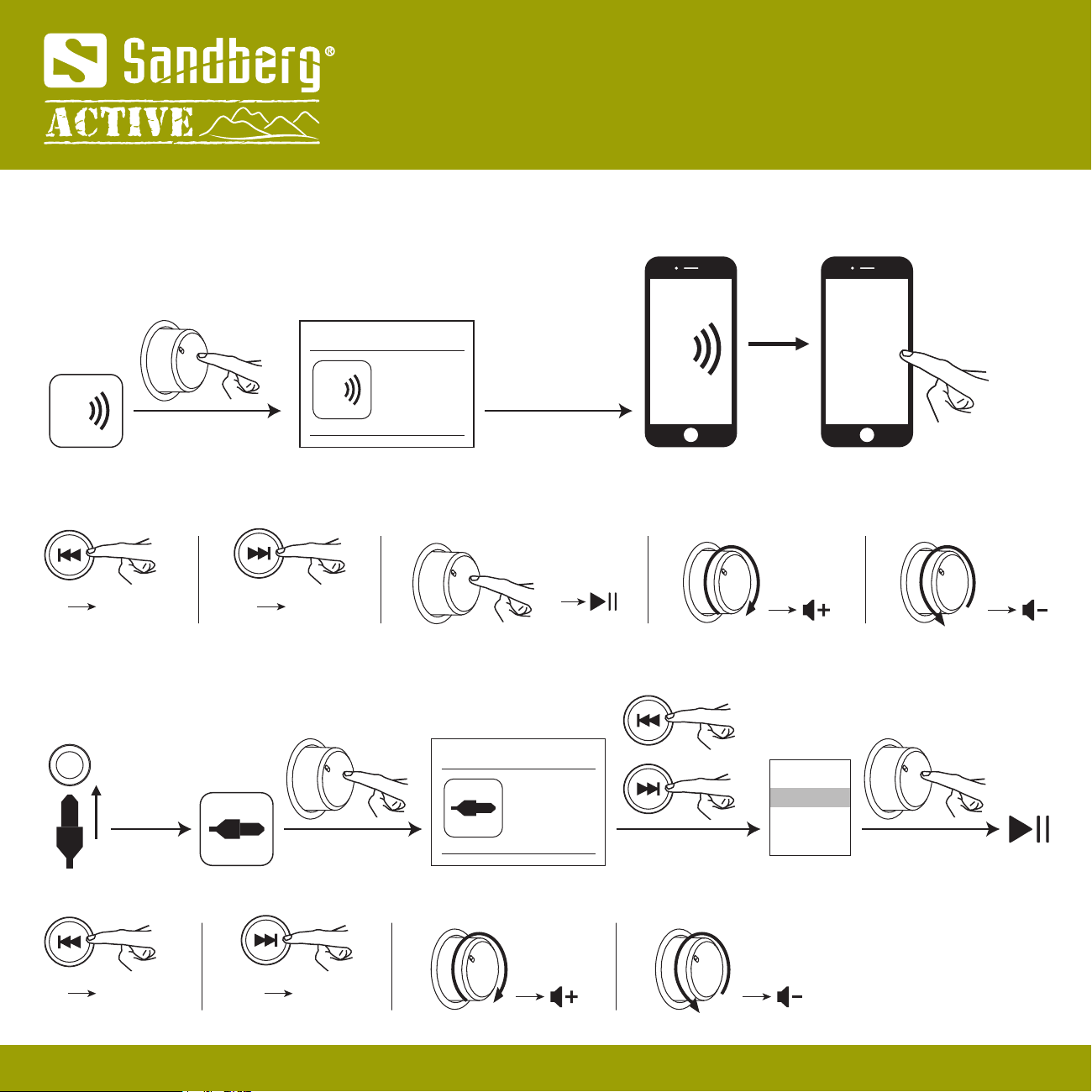
Bluetooth Mode
Pairing with Bluetooth device
Using
BT
Bluetooth
Pairing
1x
1x Previous
song 1x Next
song
AUX Mode
AUX
AUX IN
BT
BT
6
Quick guide
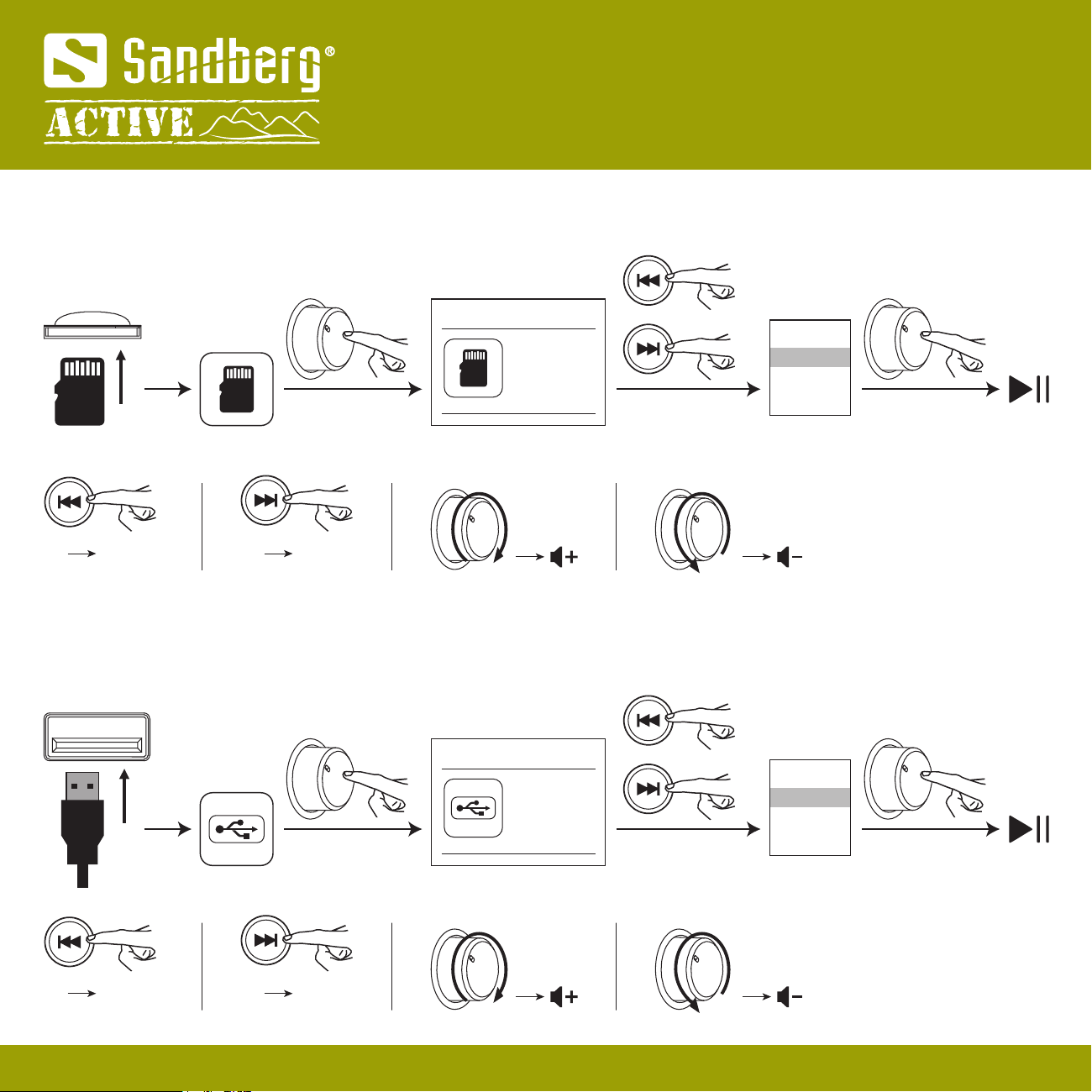
TF Mode
1x Previous
song 1x Next
song
TF
TF
Music 1
Music 2
Music 3
Music ...
Music 1
Music 2
Music 3
Music ...
or
USB Mode
1x Previous
song 1x Next
song
USB
Music 1
Music 2
Music 3
Music ...
Music 1
Music 2
Music 3
Music ...
or
USB
7
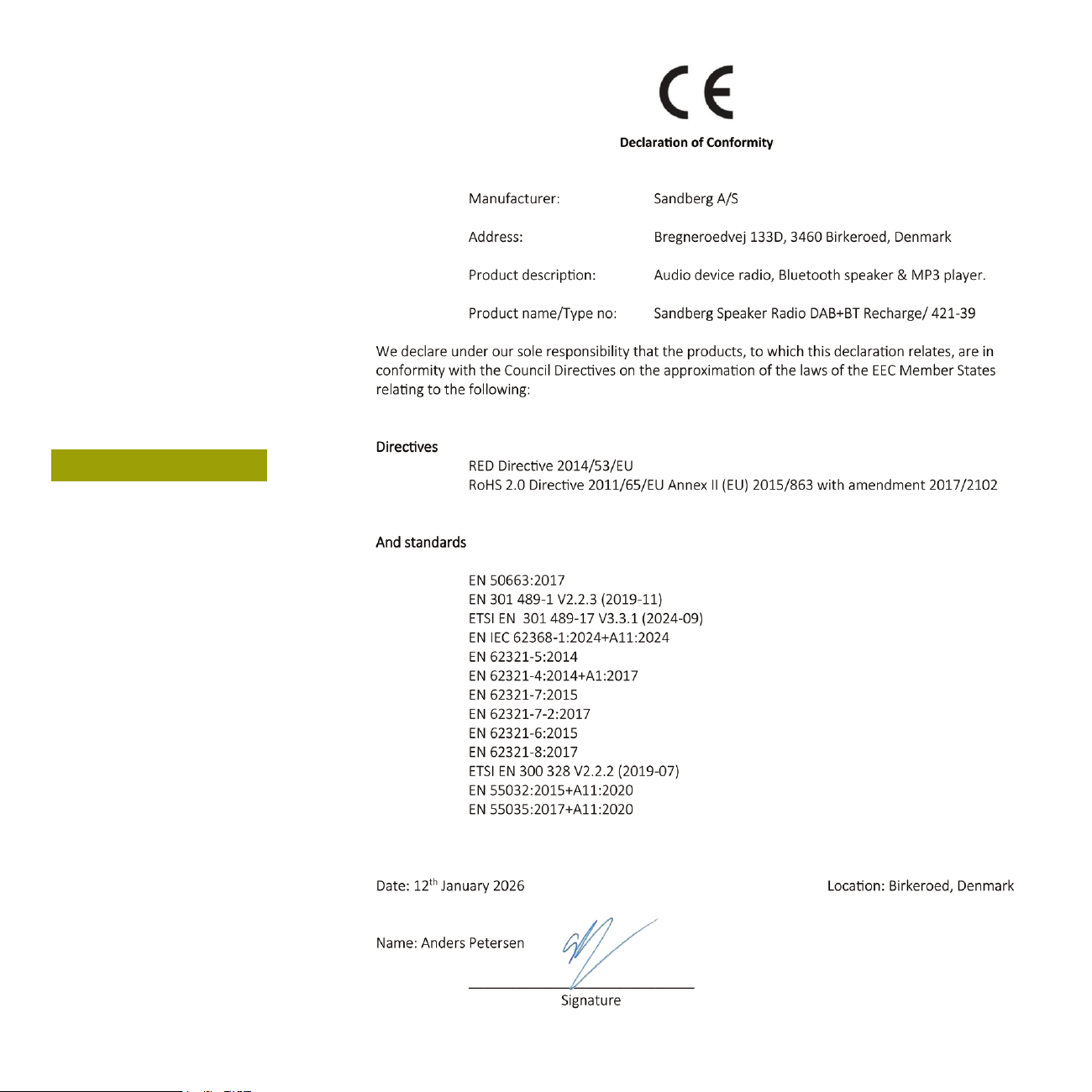
CE letter of
conformity
8